Fleet Guide 6/7 — Scheduled-Maintenance Alerts
Never miss an oil change or periodic service: set how many kilometres each service type recurs, and the system watches your cars' odometers and warns you — “overdue / due soon / within limit” — before the moment passes.
🚗 Fleet Guide Series — Part 6 of 7 · Stage: Maintenance · Full series index
What you will learn
- The difference between “maintenance requests” and “scheduled-maintenance alerts”.
- Create an alert group with a kilometre threshold for a service type.
- Read the alerts page and act from within it.
How it differs from the previous part
“Maintenance requests” (part 5) record what you actually did. “Maintenance alerts” remind you of what you should do soon: you set that “oil change” recurs every 5,000 km, say, and the system compares each car's odometer to its last service, computes the remaining kilometres, and warns you before the threshold.
Step 1: Create an alert group
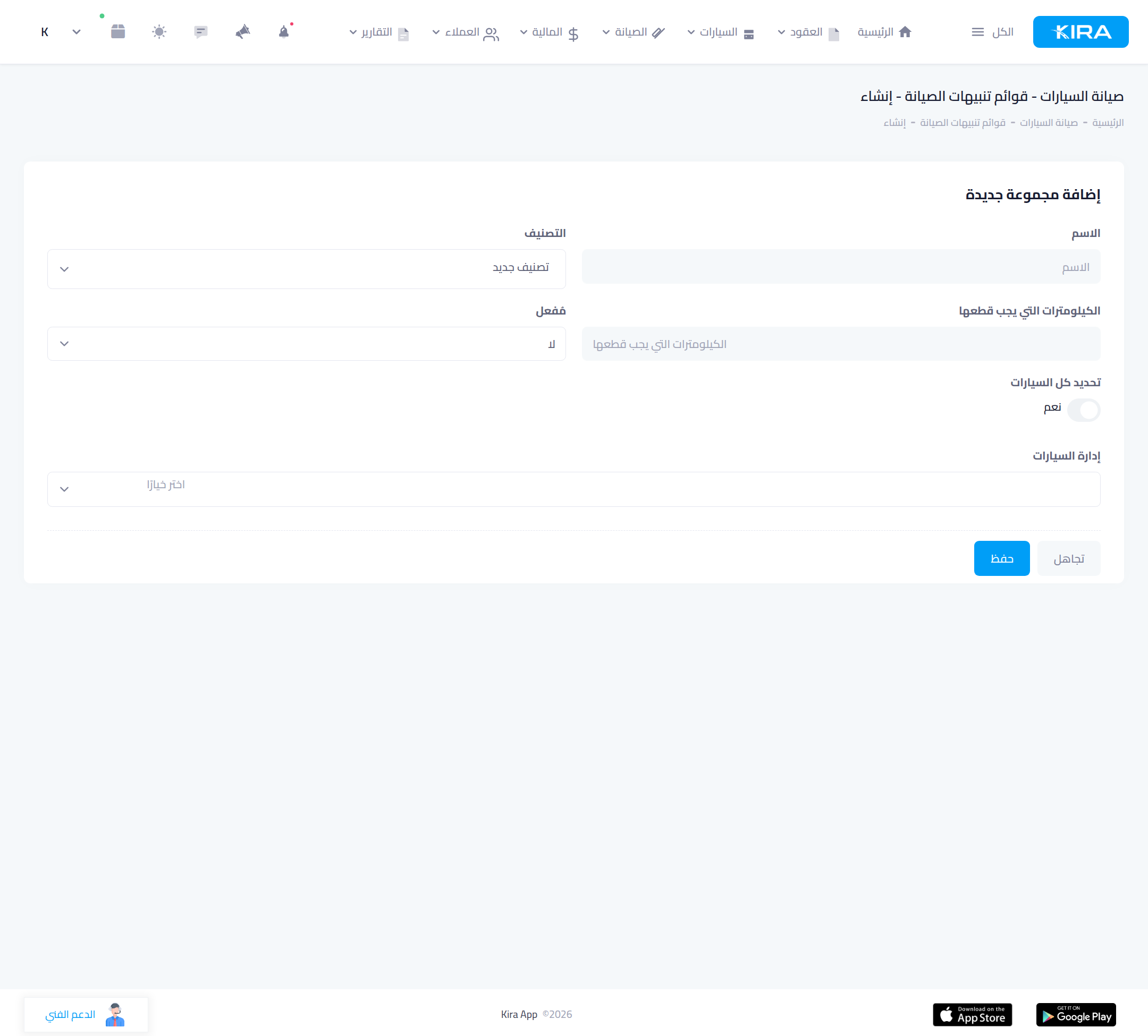
From “Maintenance → Alert groups” press “Add new group”. Set: name, category (service type), and the kilometres to cover before the alert (e.g. 5,000), enable it, then pick the cars (or “select all cars”). The system starts watching those cars for that service type.
Step 2: Watch the alerts page
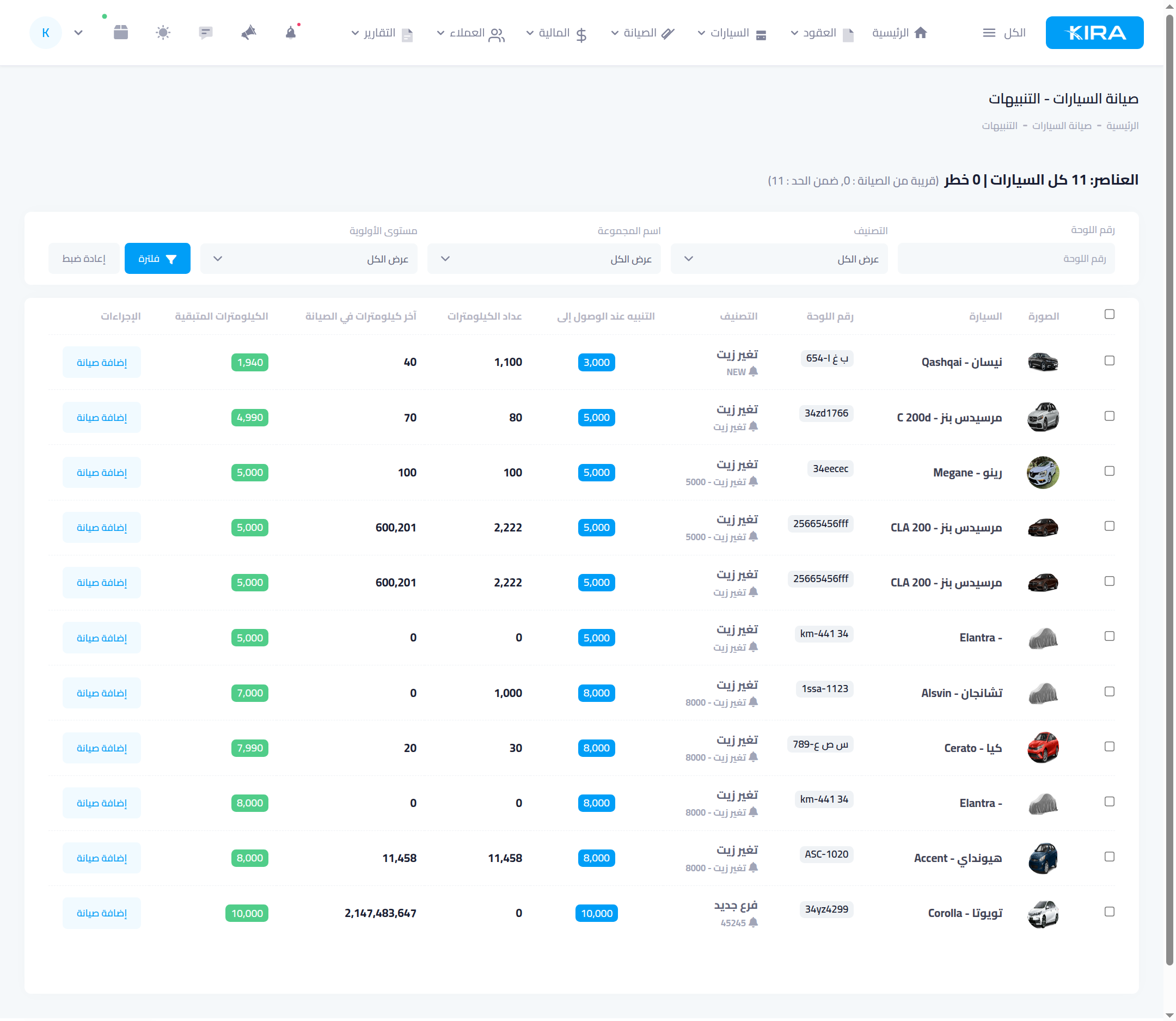
From “Maintenance → Alerts” a list appears of every car approaching or past its service, summarised on top: danger · due soon · within limit. Each row shows: category, alert on reaching (the threshold), current odometer, last-maintenance kilometres, and remaining kilometres in a colour reflecting priority (≤500 km red “overdue” · ≤1000 km amber “due soon” · green “within limit”). Filter by plate, category, group or priority.
Act from within the alert
Each car has an “Add maintenance” button that opens a maintenance request (part 5) directly — turning the alert into a recorded service in one click. After the service, its odometer baseline resets so the alert quiets until the next cycle.
Common mistakes
- Stale odometers: the alert relies on the car's odometer — update it at every handover/return and service (syncing does this).
- Unrealistic thresholds: set the kilometres per the manufacturer's recommendation for each type so you neither service too early nor too late.
⬅ Next in the series: Part 7: Car Installments
Previous: Part 5 — Maintenance Requests · Series index