Contracts Guide 6/9 — Discounts and the Receipt Voucher
Grant a controlled discount — percentage or fixed, on the contract total or the rent only — and print an official receipt voucher with a verification code for every payment your staff collects.
📄 Contracts Guide Series — Part 6 of 9 · Stage: Finance · Full series index
What you will learn
- Enable the booking discount while creating the contract, and set its type and scope.
- Why discounting is a separate permission you grant only to trusted staff.
- Print the official receipt voucher for any payment and verify it.
The booking discount
In step 4 of the contract wizard, enable the “booking discount” switch, then set:
- Discount type: percentage (%) or a fixed amount.
- Discount value.
- Apply to: the total contract value, or the rent portion only (excluding extras and insurance).
The discount appears instantly in the price card and the services table as a green deduction line, applied once to the final contract value.
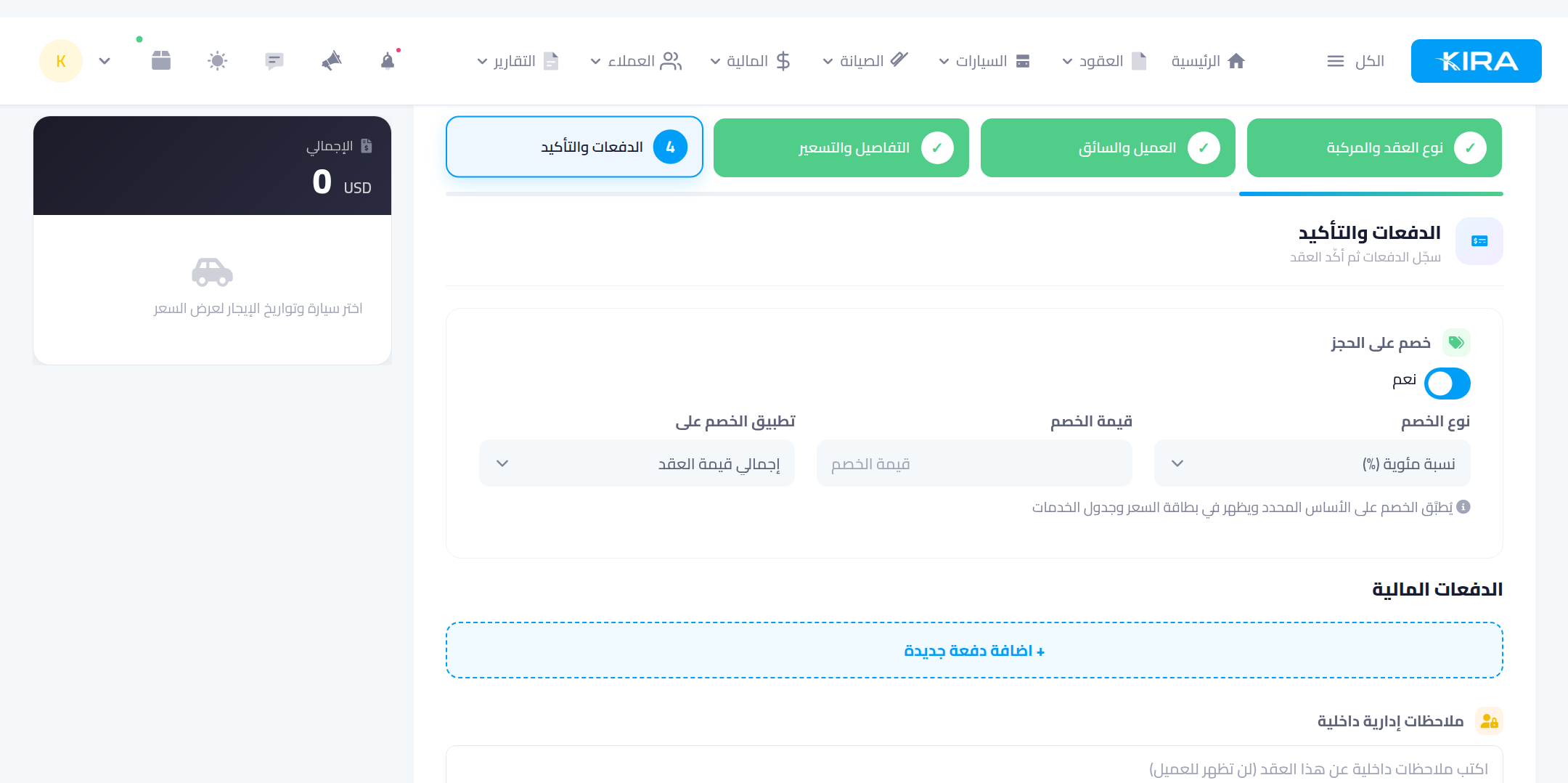
Note: discounting is a separate permission (“contract discount”) — the option only appears for staff who hold it. Grant it from staff management to those you trust with pricing decisions.
The receipt voucher
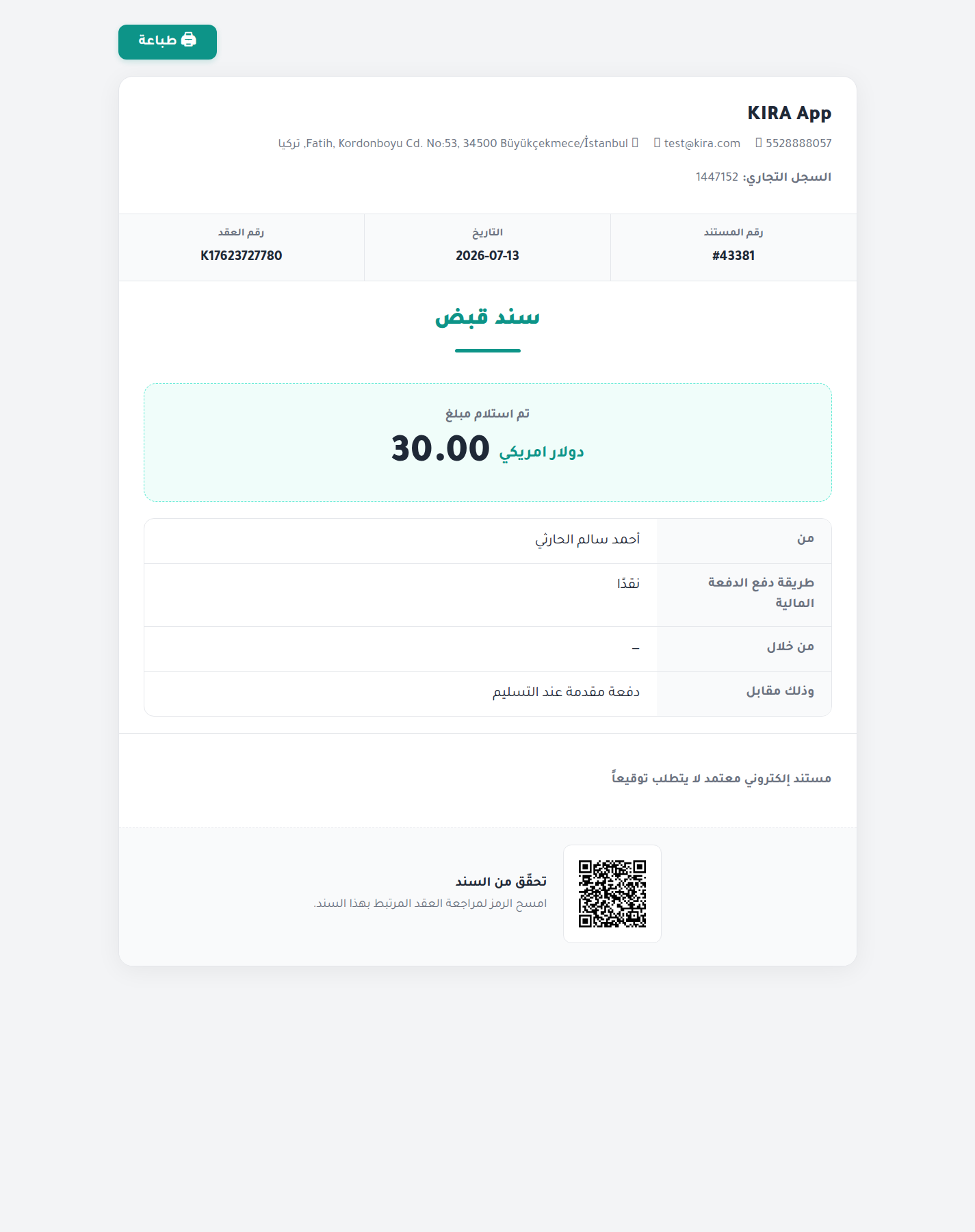
Every paid payment you record gets an official receipt voucher with a serial number (RV-…). Print it from the payments log in the Finance tab or from the payment page. The voucher carries:
- The amount in digits and words, the payment method and the collection date.
- The customer's details and the linked contract number.
- The receiving employee's signature and the company stamp.
- A verification QR code: scanning it opens a verification page proving the voucher is genuine — protection against forged receipts.
Common mistakes
- Granting the discount permission to everyone: keep it with supervisors — it touches your revenue directly, and every discount is recorded under who granted it.
- Manual discounts by editing the price instead of the discount feature: use the booking discount so it appears documented on the contract and in reports, rather than an untraceable altered price.
- Collecting cash with no voucher: print one for every cash collection — it is your accounting document and your employee's protection.
⬅ Next in the series: Part 7: Extend the Contract Without Creating a New One
Previous: Part 5 — Payments and Debts on the Contract · Series index