Contracts Guide 5/9 — Payments and Debts on the Contract
How KIRA tracks each contract's money: the contract value as a debt, recording payments across payment methods, and the “Finance” tab showing total, paid, remaining and every movement.
📄 Contracts Guide Series — Part 5 of 9 · Stage: Finance · Full series index
What you will learn
- Understand the contract debt ledger: contract value, payments, remaining.
- Record a new payment with any payment method, and its effect on the bank account.
- Read the “Finance” tab and the “financial position” card.
How is the contract debt computed?
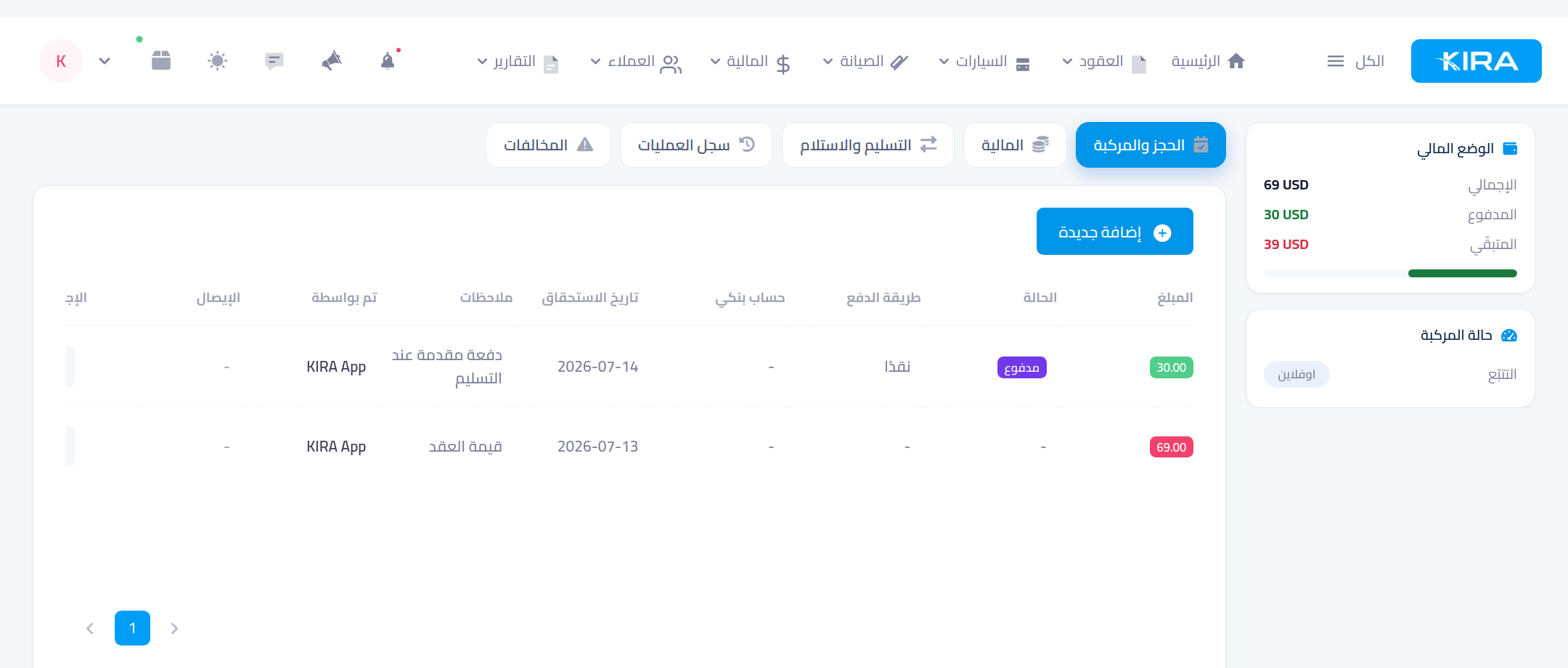
When the contract is created, the full contract value is recorded as a debt on the customer. Every payment you record is deducted from it, and the rest shows instantly in the “financial position” card: total, paid, remaining — the same debt that appears on the customer's card in the customers list.
Step 1: Record a new payment
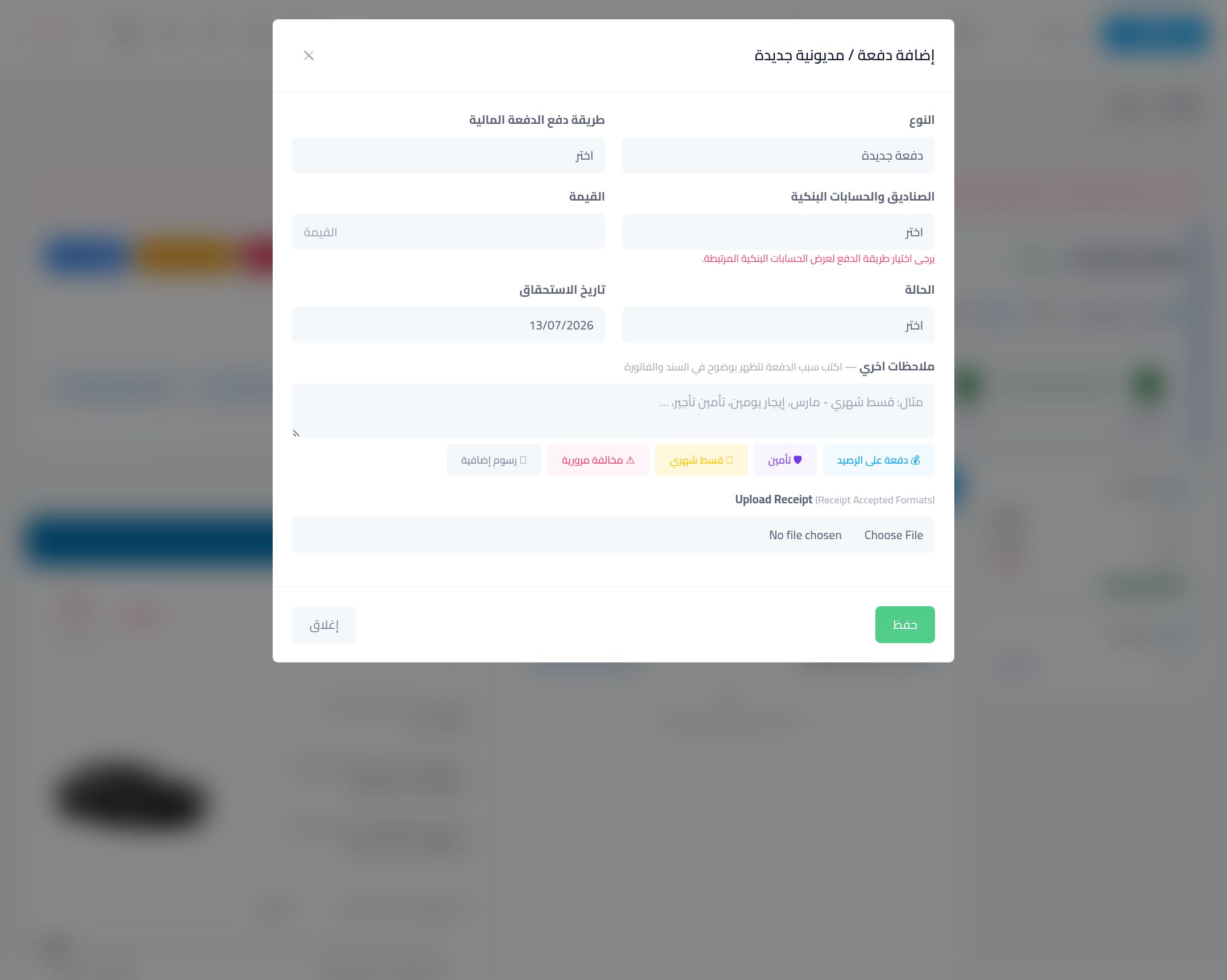
From the contract page press “Request payment” (or the “+ Add new” button in the Finance tab). In the window set:
- Type: a payment (credit) or an extra debt (charge).
- Amount.
- Payment method: cash, bank transfer, electronic payment, or the customer's wallet. Choosing a bank reflects the movement on that bank account's balance automatically.
- Status: “paid” if you actually received it, “pending” if due later.
- Due date and an optional note.
Step 2: Watch the “Finance” tab
Open the “Finance” tab on the contract page: a table of every movement — the contract value plus each payment with its status, method, due date and who recorded it — next to the financial-position card with a settlement progress bar. Print any payment's receipt from the same table.
Common mistakes
- A bank payment without picking the account: choose the bank account so its balance moves and matches your real statement.
- “Paid” status for money not received: use “pending” for dues — the payment status is what reports and accounting rely on.
- Recording contract payments elsewhere: always record them from the contract page so they appear in its ledger and settle its debt.
⬅ Next in the series: Part 6: Discounts and the Receipt Voucher
Previous: Part 4 — Hand Over the Car and Document Its Condition · Series index