Contracts Guide 4/9 — Hand Over the Car and Document Its Condition
The handover moment: photos and video of the condition, odometer and fuel readings, existing damage, and the handover payment — all in one window that protects you at return time.
📄 Contracts Guide Series — Part 4 of 9 · Stage: Operation · Full series index
What you will learn
- Document the car's condition with photos and video at handover.
- Record the odometer, fuel level, and pre-existing damage.
- Record a handover payment and follow the contract timeline.
Why documentation matters
What you document at handover is your only reference at return: any new damage beyond it is the customer's responsibility. Photos, video, odometer and fuel all appear on the e-contract under “vehicle condition at handover”, acknowledged by the customer's signature.
Step 1: Open the handover window
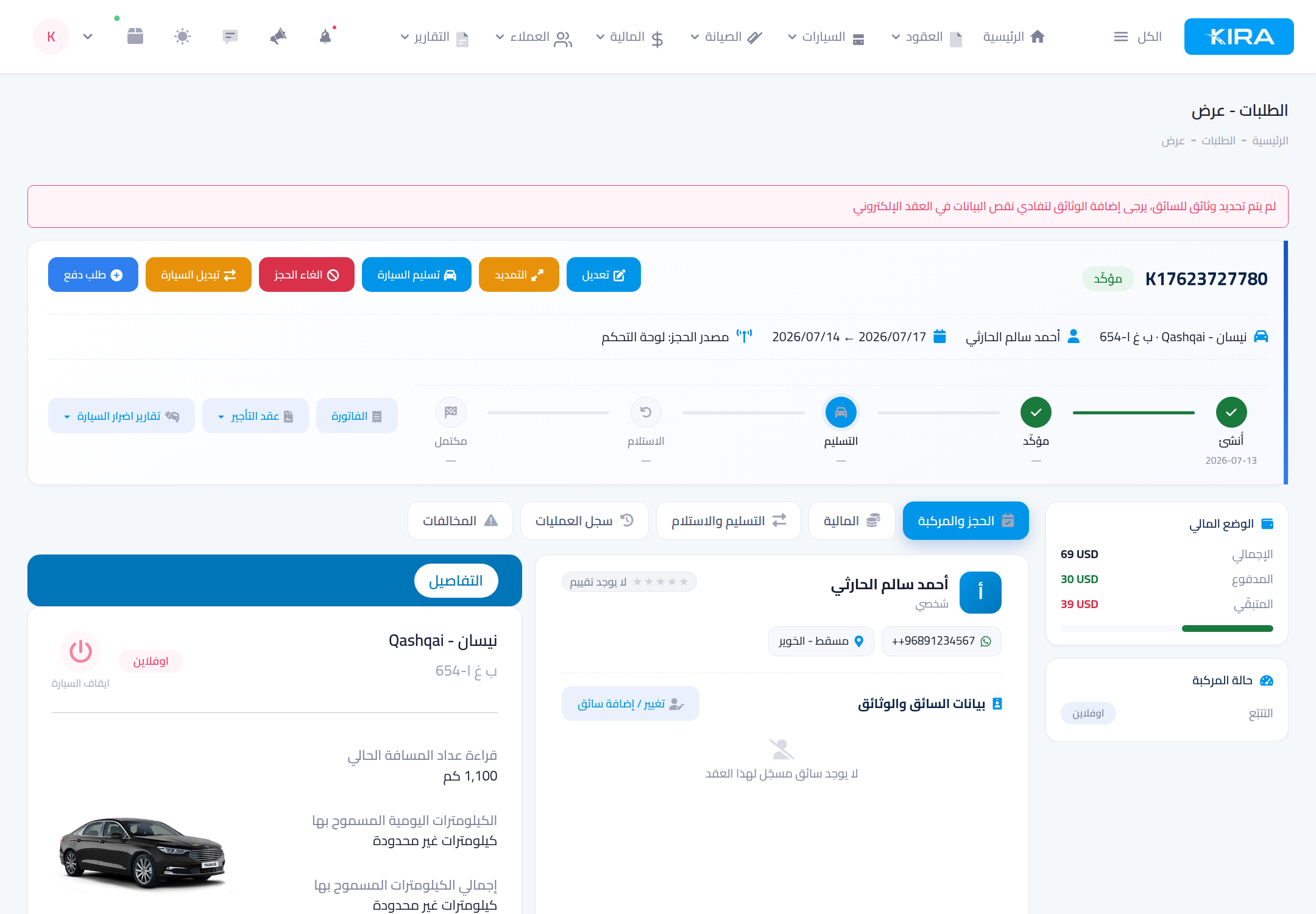
From the confirmed contract page press the blue “Deliver car” button.
Step 2: Document, then hand over
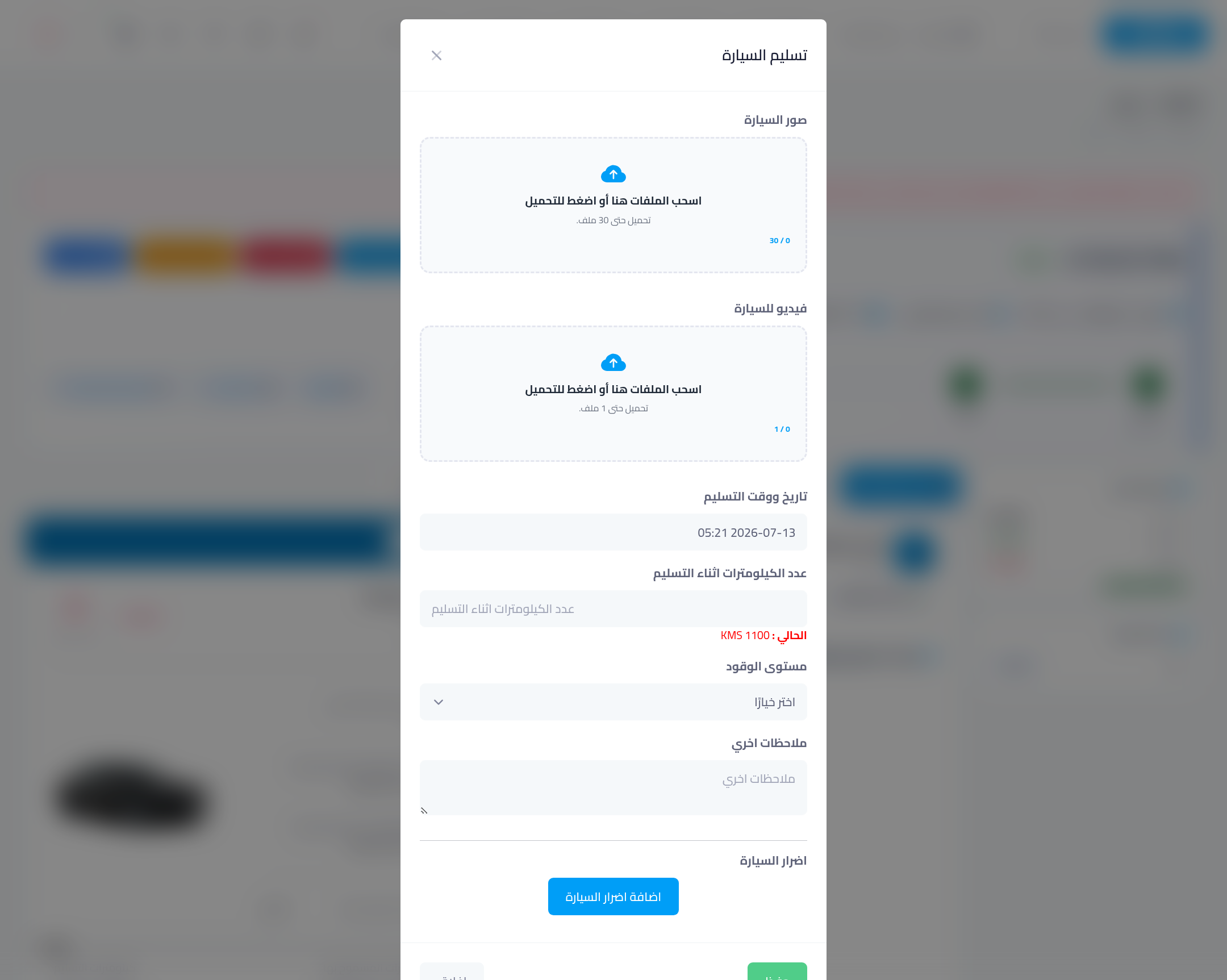
- Car photos at handover: upload up to 30 photos from different angles (body, cabin, tyres, any existing scratch).
- Car video: one clip walking around the car — the strongest evidence in a dispute.
- Actual handover date & time.
- Odometer: enter the current reading (the last recorded reading is shown for comparison).
- Fuel level: pick the percentage (100%, 75%…).
- Car damages: via “add car damages”, mark any pre-existing damage on the car diagram.
- If you received money now, enable the payment option and enter the amount.
Press “Save” — the contract moves to “delivered” and the timeline at the top advances.
After handover
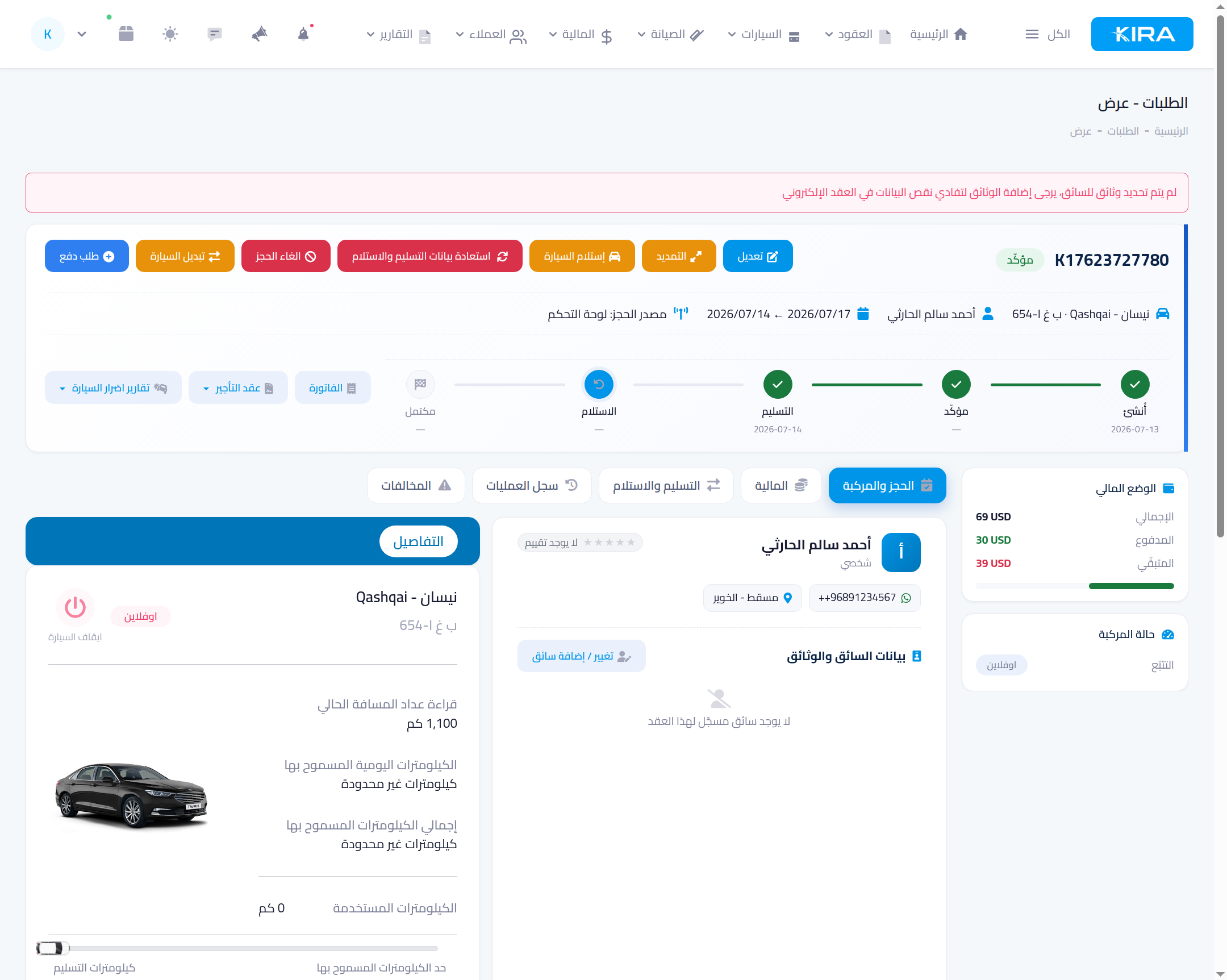
The contract timeline shows: created → confirmed → handover → return → completed, with the handover mark now done. The car's recorded odometer in your fleet is updated automatically with the new reading.
Common mistakes
- Handover with no photos: you will have no evidence in a damage dispute. Ten quick photos are enough.
- An odometer reading lower than the recorded one: the system rejects it — verify the actual reading.
- Skipping pre-existing damage: if you don't record it now, you can't distinguish new damage at return.
⬅ Next in the series: Part 5: Payments and Debts on the Contract
Previous: Part 3 — The E-Contract, Signatures and Sharing · Series index