Miles/Kilometers Odometer Support — Manage a Mixed Fleet Accurately
How to manage mile-odometer cars in a mixed fleet: set the unit, show readings in miles, calculate the distance difference with automatic conversion to km, maintenance, and tracking calibration.
What Is Mile Odometer Support?
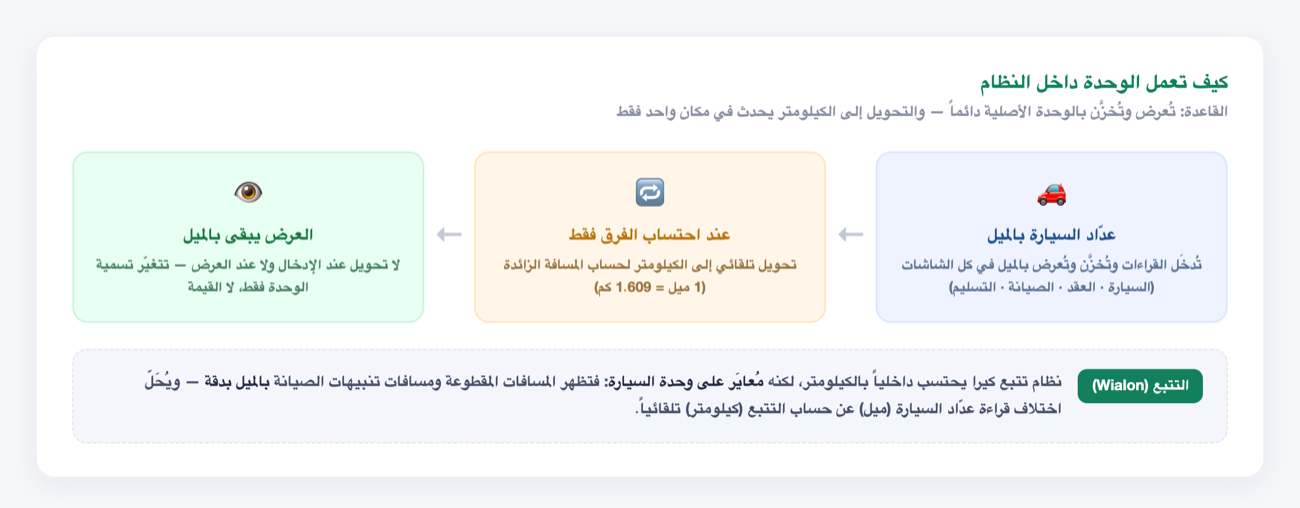
Some rental companies run a mixed fleet: imported cars (often from the US) whose odometers read in miles, alongside Gulf cars that read in kilometers. Previously the system assumed kilometers as the single unit, so a mile car's reading showed incorrectly and its extra-distance charge was miscalculated.
This feature gives every car its own odometer unit (kilometers or miles). Its readings display in the car's native unit across every screen, and miles are converted to kilometers automatically and in a single place only — when calculating the extra-distance difference. The result: clearer, more accurate management of your mixed fleet, with no confusion for staff or customer.
Step 1: Choose the Odometer Unit When Adding or Editing a Car
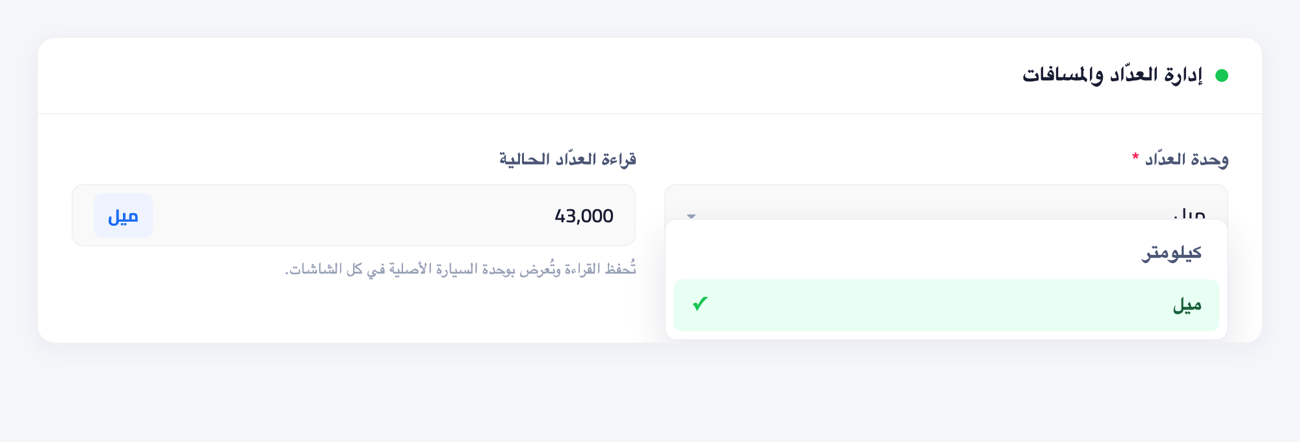
When you add a new car or edit an existing one (Fleet → Cars → Add/Edit), the "Odometer & distance" section has an Odometer unit selector. Choose:
- Kilometers — the default for most Gulf cars.
- Miles — for imported cars whose odometer reads in miles.
After selecting, enter the current odometer reading in the car's own unit (e.g. 43,000 miles). The reading is saved and shown in that unit everywhere afterwards.
Step 2: How Readings Display Across Every Screen
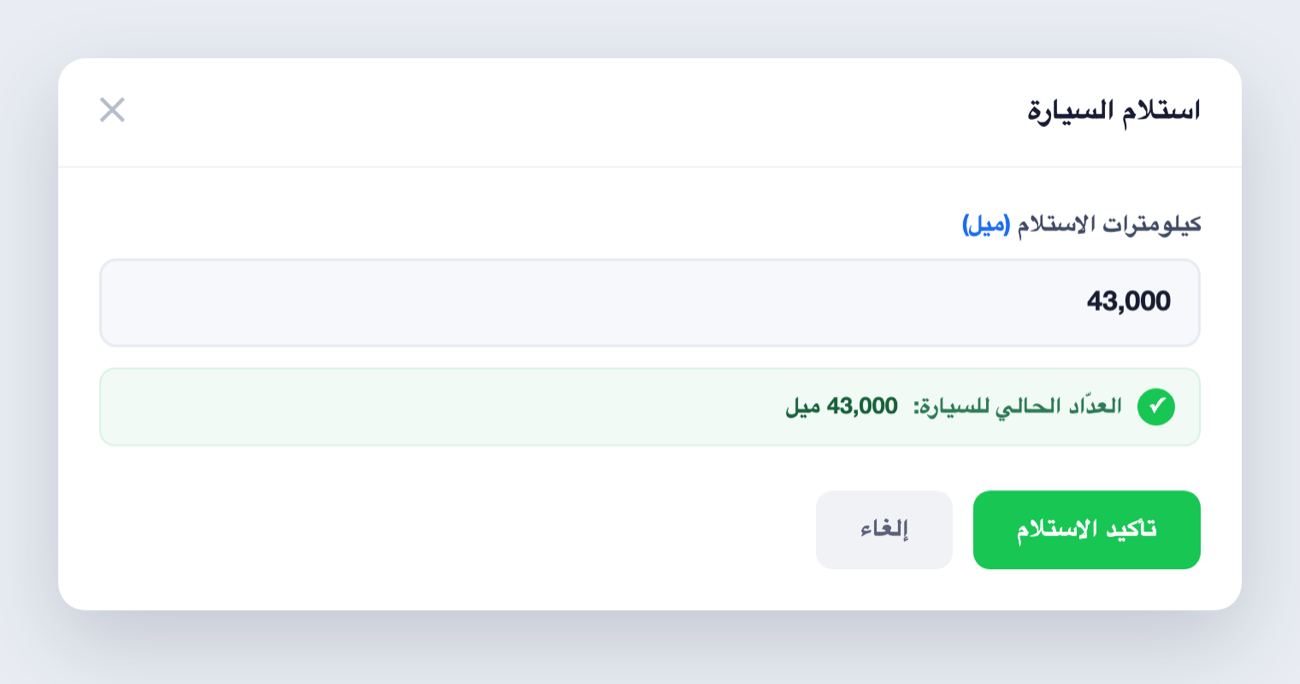
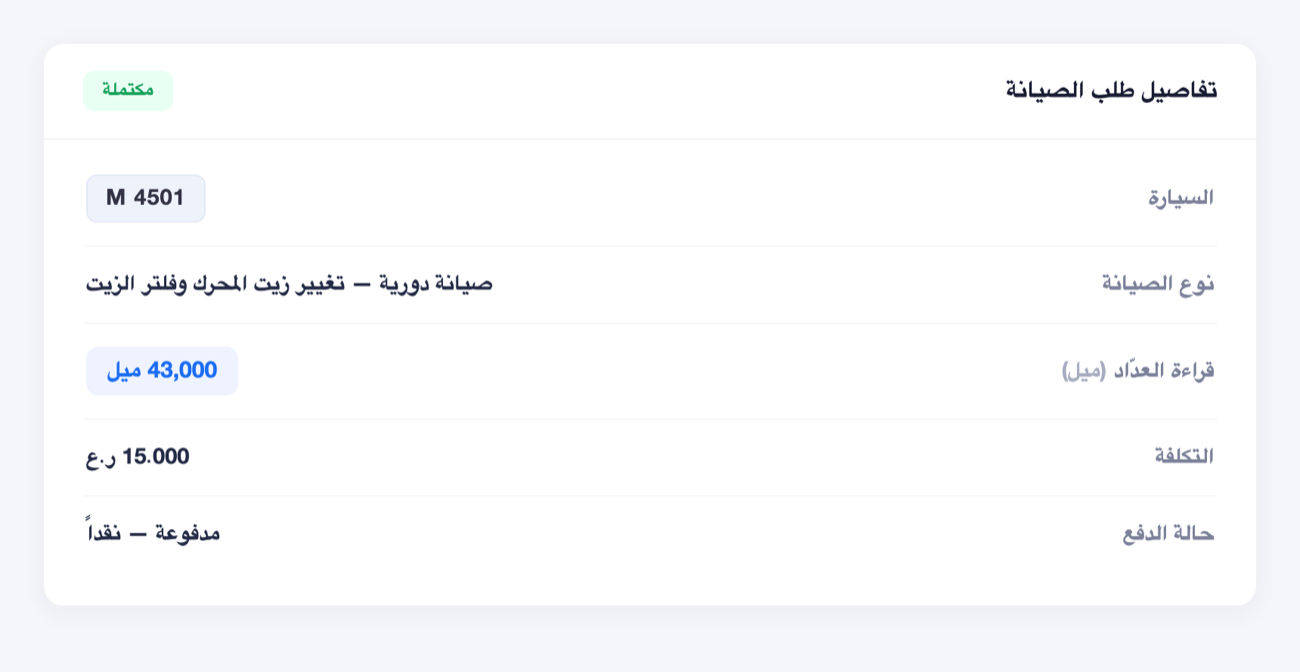
A mile car shows in miles everywhere: car details, the e-contract, maintenance requests, and the deliver/receive dialogs. When you hand over or receive the car, the odometer field is labeled with the car's unit and shows the current reading for confirmation.
Step 3: Extra-Distance Calculation and Conversion
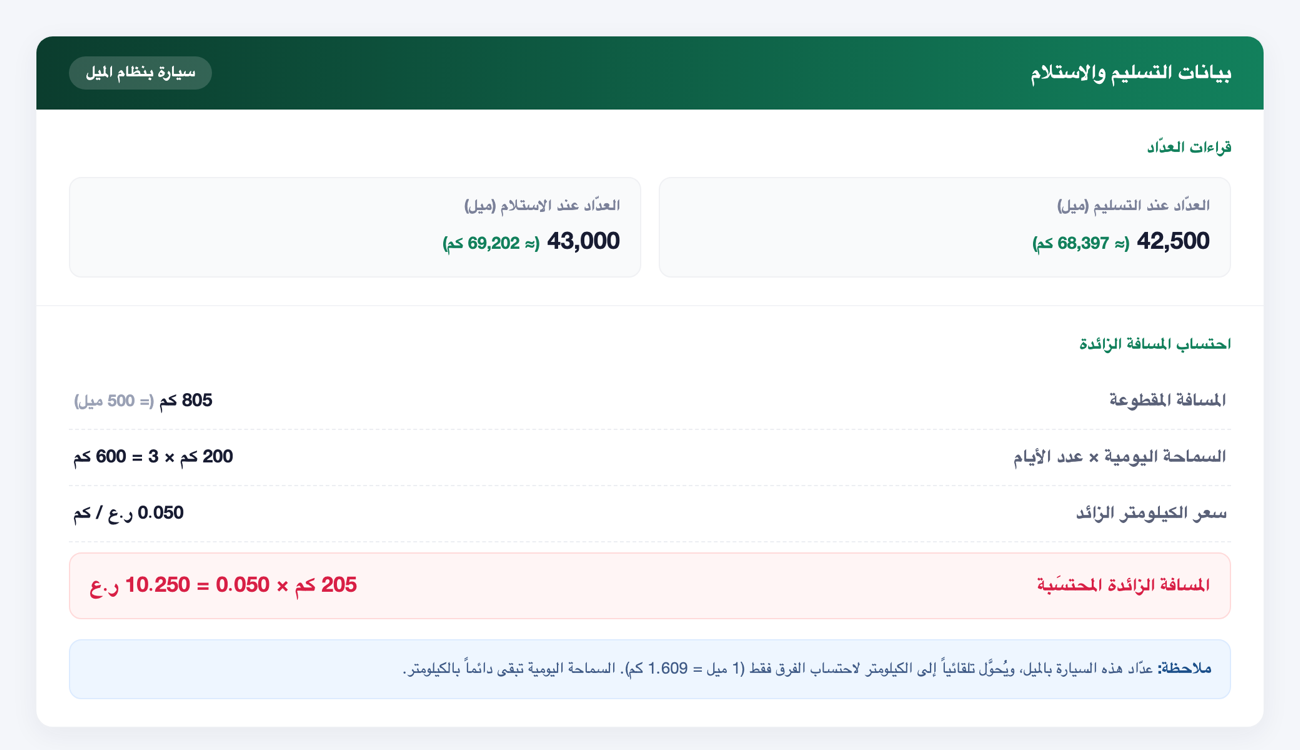
This is where the single conversion happens. When the contract closes, the system reads the delivery and return odometers in miles, converts each to kilometers (1 mile = 1.609 km) to compute the distance traveled, then compares it against the allowance. The daily allowance always stays in kilometers, even for a mile car.
Worked example:
- Delivery odometer: 42,500 mi (≈ 68,397 km)
- Return odometer: 43,000 mi (≈ 69,202 km)
- Distance traveled: 805 km (= 500 mi)
- Allowance: 200 km/day × 3 days = 600 km
- Excess: 805 − 600 = 205 km × extra-km rate (0.050 OMR) = 10.250 OMR
On the e-contract, readings appear with dual-unit transparency: the value in miles first, its kilometer equivalent beside it "(≈ N km)", then the calculation in kilometers. The customer sees both the numbers on the car's odometer and the calculation, with no ambiguity.
Step 4: Maintenance in Miles
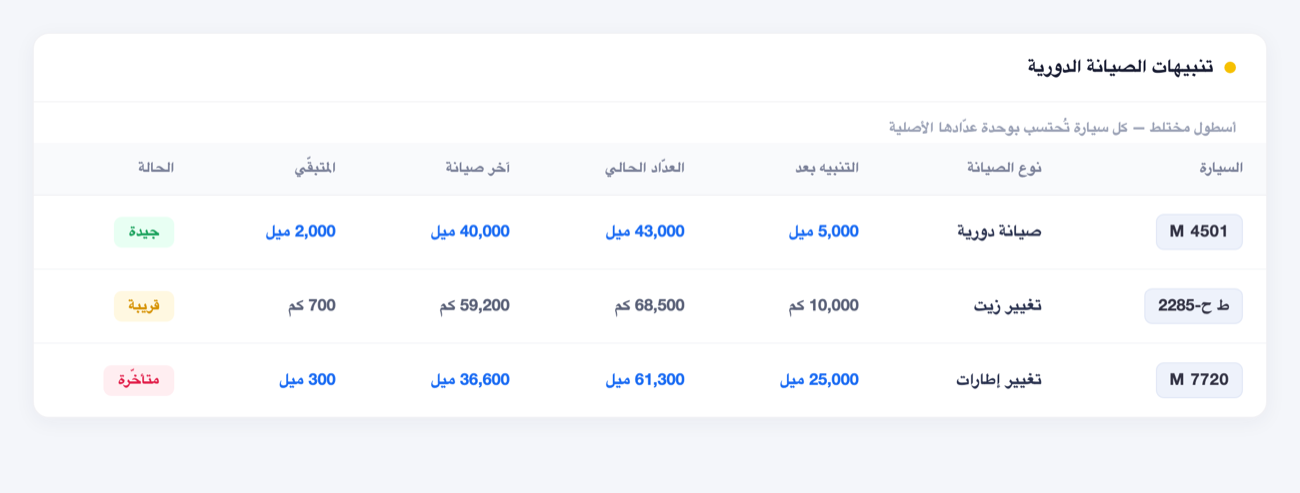
In maintenance requests and scheduled-maintenance alerts, all readings (current odometer, last service, alert distance, and remaining) show in the car's native unit. In a mixed fleet, each car is calculated in its own unit: mile rows in miles and kilometer rows in kilometers, side by side.
Step 5: GPS Tracking (Wialon) and Distance Calibration
KIRA's tracking system computes distances internally in kilometers. For a mile car, the system calibrates the odometer to the car's unit at the integration boundary, so distances traveled and maintenance-alert distances show accurately in miles and match what you actually see on the car's odometer.
This resolves the common problem of reading the car's odometer in miles while tracking counts in kilometers, producing an apparent gap. With this feature, conversion happens automatically at the boundary and the displayed readings stay consistent with the car's unit. No manual adjustment on the tracking platform is needed — the car's unit in KIRA is the source of truth.
Important Rules
- The daily allowance is always in kilometers — even for a mile car; it is a unified contractual limit, not a per-car tracking value.
- There is never a bulk fleet conversion — the fleet stays permanently mixed and each car keeps its unit. There is no "unify fleet" action.
- The reading is a legal record — the delivery/return odometer on the contract shows in the car's unit as-is, and is saved per contract, so it doesn't change if you later change the car's unit.
- Conversion happens in one place only — never on input or display; only inside the extra-distance calculation.
FAQ
Do I have to convert all my cars to one unit?
No. The feature is built for mixed fleets — mile cars stay in miles and kilometer cars stay in kilometers, per car, permanently.
Are my kilometer cars affected?
Not at all. Kilometers is the default, and everything stays exactly the same for your existing cars. The feature activates only for a car you set to "Miles".
Why does the allowance and excess show in kilometers on a mile car's contract?
Because the daily distance limit is a unified contractual value in kilometers. The system converts the mile readings to kilometers to compare against that limit fairly, and shows the conversion beside the original reading for transparency.
I changed a car's unit after creating it — what happens to past contracts?
Nothing. Every closed contract keeps its unit at creation time, so no past invoice changes. The change affects new readings only.
For more on managing your fleet, prices and maintenance, see the Fleet Guide.