Fleet Guide 7/7 — Car Installments
Financing your cars in installments? Record each car's schedule and the system computes what's paid, remaining, the next installment and its due date, and flags overdue ones — and every payment reflects on your bank account.
🚗 Fleet Guide Series — Part 7 of 7 · Stage: Financing · Full series index
What you will learn
- Record an installment plan for a financed car.
- Track paid, remaining and the next installment.
- Record an installment payment and link it to a bank account.
Why track installments inside KIRA?
If you bought your cars with financing, tracking installments outside the system means surprises at due dates. Recording them here, the system computes per car: total, paid, remaining, the next installment and its date, and flags overdue ones — linking your fleet's financing cost to your accounting.
Step 1: Open car installments
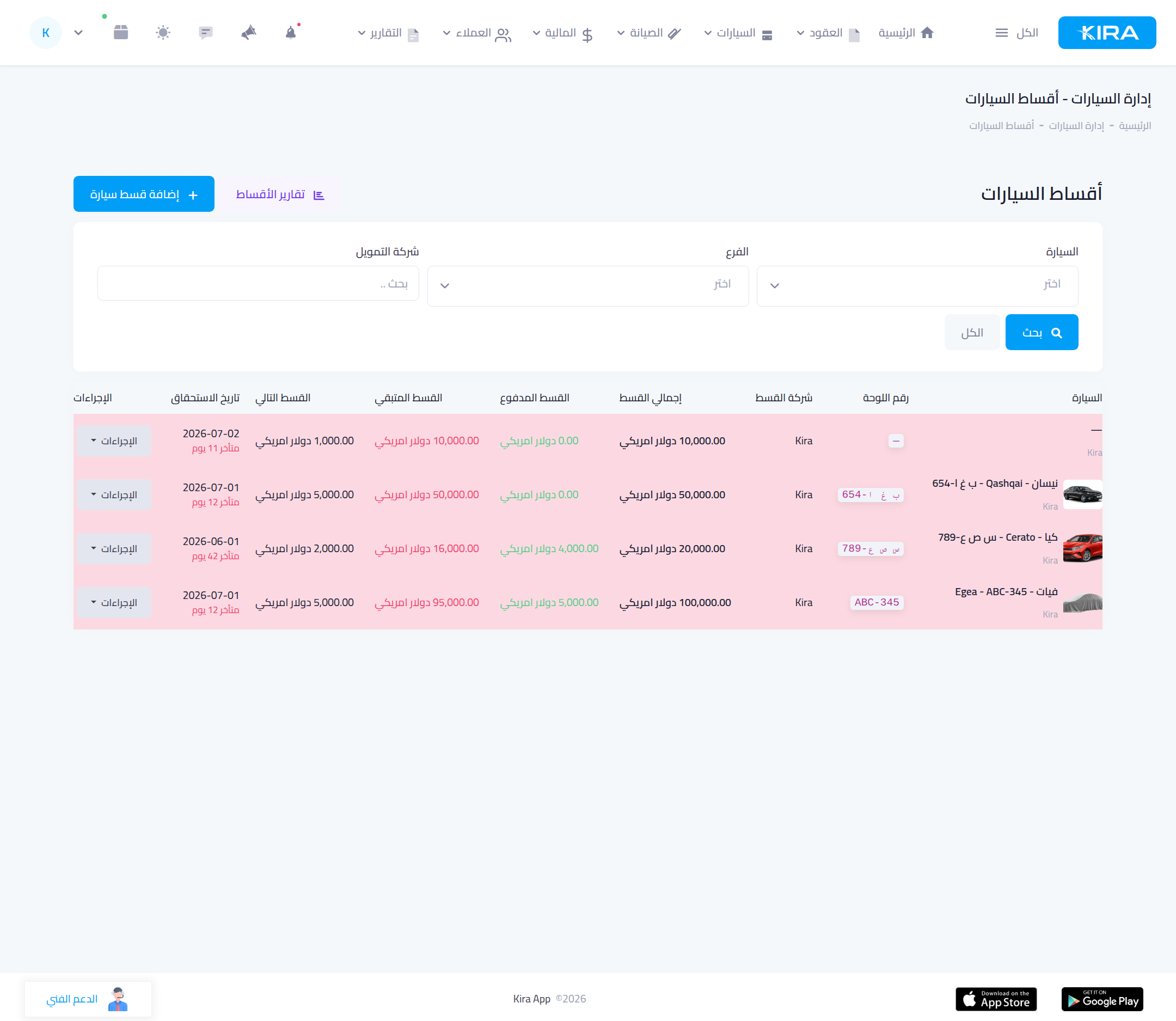
From “Cars → Car installments”: a table of every plan — car, financing company, total, paid, remaining, next installment and its due date (with an “overdue by N days” badge when late). Filter by car, branch or financing company, and print “Installment reports”.
Step 2: Add an installment plan
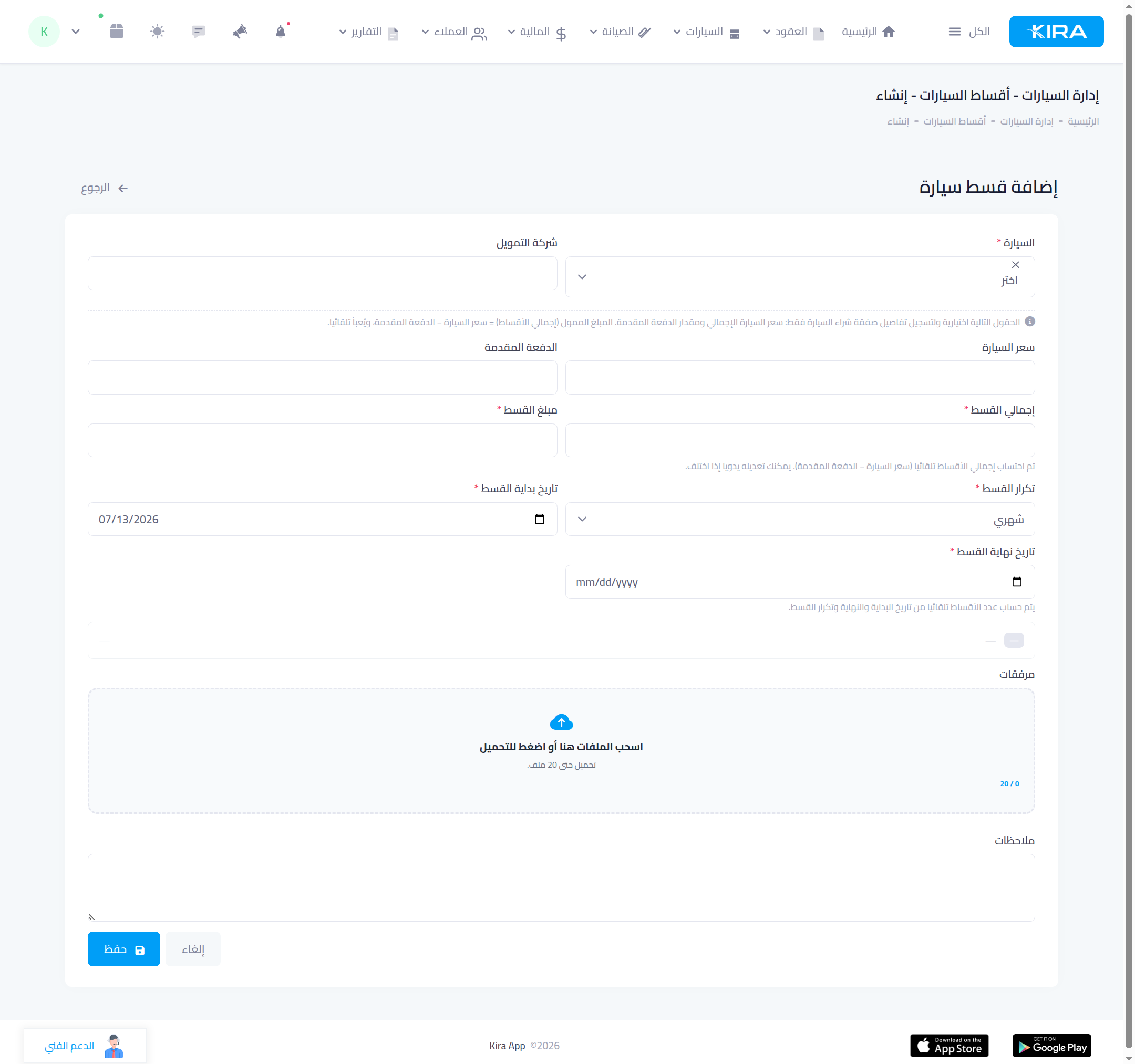
Press “Add car installment” and enter:
- Car and financing company.
- Car price and down payment — the system computes the installment total automatically (price − down payment), and you can adjust it.
- Installment amount and frequency (monthly / quarterly / semi-annual / annual).
- Start and end dates — the number of installments is computed automatically.
Then “Save” and the payment schedule is generated.
Step 3: Record installment payments
When you pay an installment, open the plan and record the payment with the bank account the money left from — the movement reflects on that account's balance, “paid” advances, “remaining” drops, and “next installment” updates.
Common mistakes
- A payment with no bank account: pick the account when recording so your statements reconcile.
- Ignoring the “overdue” badge: watch the list and pay before penalties accumulate.
🎉 You finished the fleet guide! You now manage your whole fleet: from adding, pricing and documenting a car, to tracking its status, maintenance, alerts and installments. Your next step: the contracts guide to rent this fleet out, or the advanced accounting guide to manage its profits.
⬅ Next series: The Contracts Guide — rent your fleet out
Previous: Part 6 — Scheduled-Maintenance Alerts · Series index