Getting Started 6/6 — Your Plan, Subscriptions and Add-ons
Track your current subscription, renew or upgrade it, compare plans and periods, and add services like WhatsApp, the AI assistant, a website and extra branches — paying electronically or by bank transfer.
🚀 Getting Started Series — Part 6 of 6 · Stage: Subscription · Full series index
What you will learn
- Reading the subscriptions page: your current plan, its progress and add-ons.
- Choosing a plan and period from the packages page.
- The available payment methods and what follows each.
The subscriptions page — your control centre
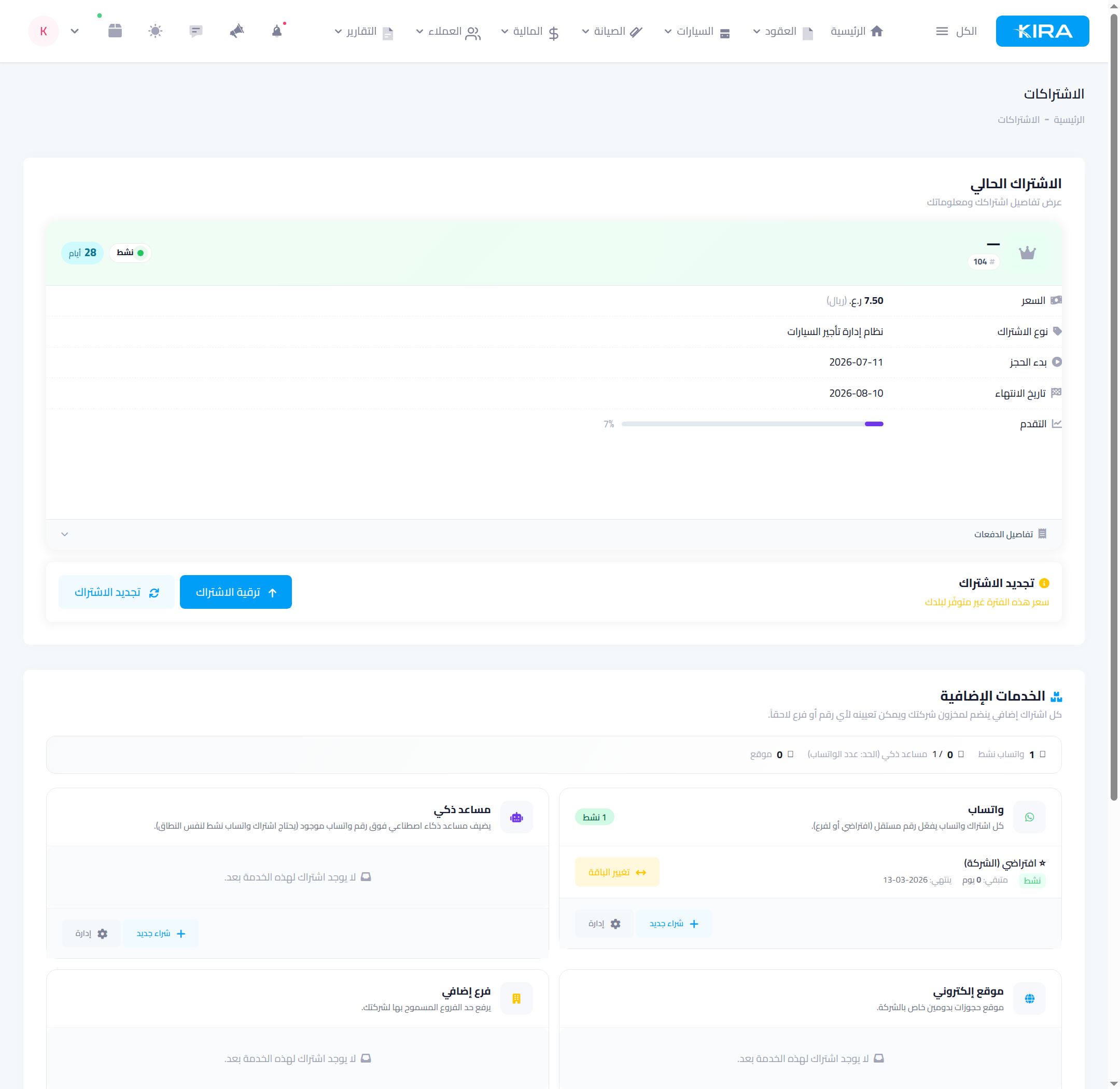
From Settings open “Subscriptions”. The “current subscription” card shows: status (active) and days left, price, subscription type, start and end dates, and a progress bar — with “renew” and “upgrade” buttons and payment details.
Below it, the “add-on services” pool — each purchase is an independent subscription that joins your company stock, then gets assigned to a number or branch:
- WhatsApp: an independent number per subscription (default or per-branch).
- AI assistant: answers your customers on top of an existing WhatsApp number.
- Website: a booking site on your own domain.
- Extra branch: raises your allowed branch limit.
Choose your plan and period
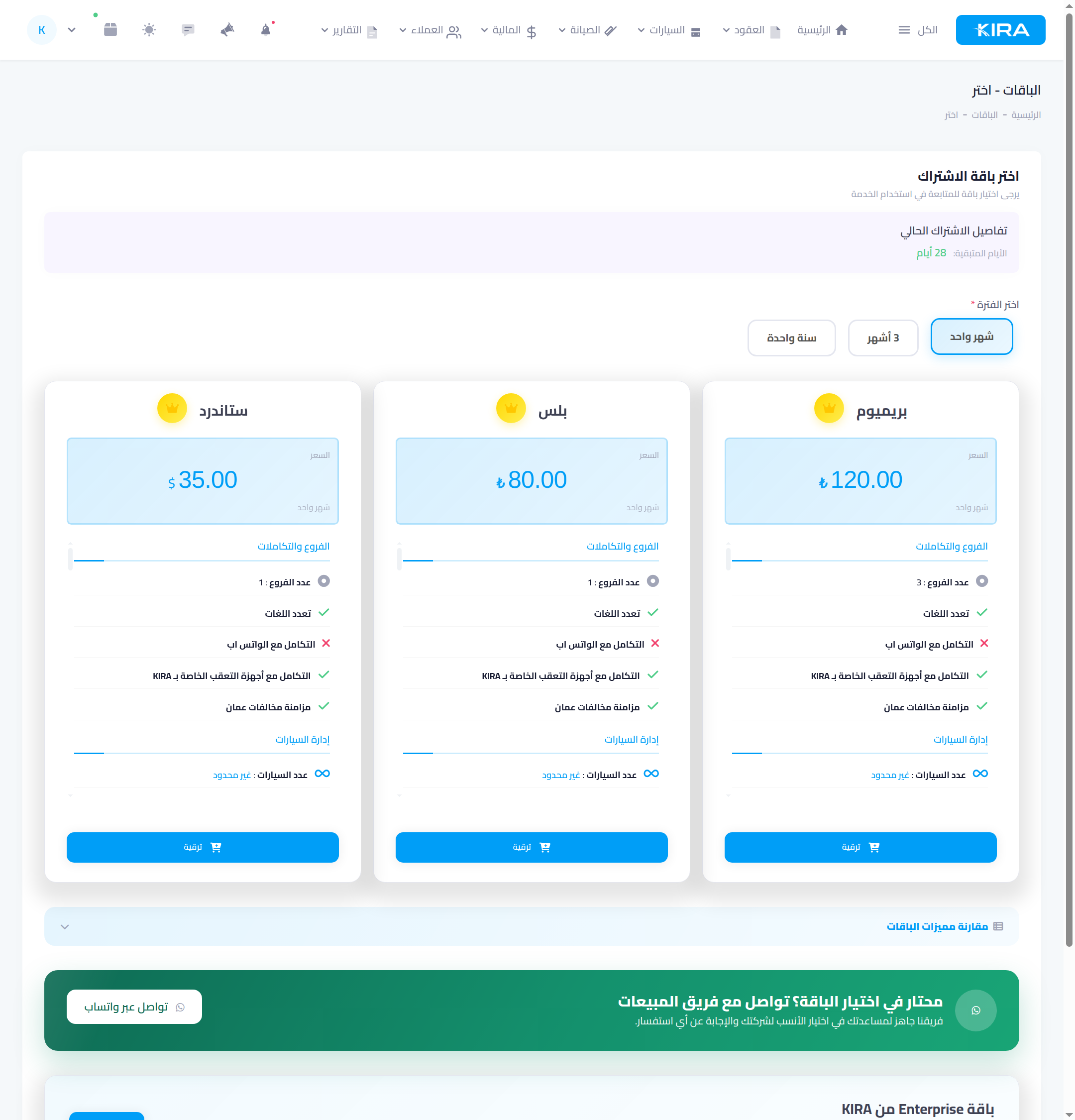
From “Packages” the “choose a subscription package” page opens: pick the period (1 month / 3 months / 1 year) and compare the cards — branch count, multi-language, WhatsApp and GPS-tracker integration, car count — and open “compare package features” for the full table. For larger needs there's an Enterprise plan via direct contact, and the sales team is one WhatsApp click away on the same page.
Paying
- Electronic payment: pay by card and your subscription activates instantly.
- Bank transfer: the subscription activates and an invoice is issued to settle within days — transfer, then upload the receipt on the same page.
Common mistakes
- Letting the subscription lapse: watch the days-left counter and renew early so your team never stops.
- Buying an add-on and never assigning it: the extra subscription joins your stock — assign it to its branch or number so it actually works.
- A forgotten bank-transfer invoice: late settlement suspends the subscription — pay and upload the receipt right after transferring.
🎉 You finished the getting-started guide! Your company is ready: a dashboard you understand, a complete identity, branches and staff with scoped permissions, tidy financial accounts, and a subscription under control. Your next step: the contracts guide series — from adding your first customer to closing your first contract.