Contracts Guide 9/9 — Cancel a Contract the Right Way
When the customer backs out: cancel with a documented reason. The e-contract becomes a voided copy stamped “Cancelled” that can no longer be signed — and the car is available again instantly.
📄 Contracts Guide Series — Part 9 of 9 · Stage: Closing · Full series index
What you will learn
- Cancel a contract with a documented reason.
- What happens to the e-contract, the car and payments after cancellation.
Step 1: Cancel with a documented reason
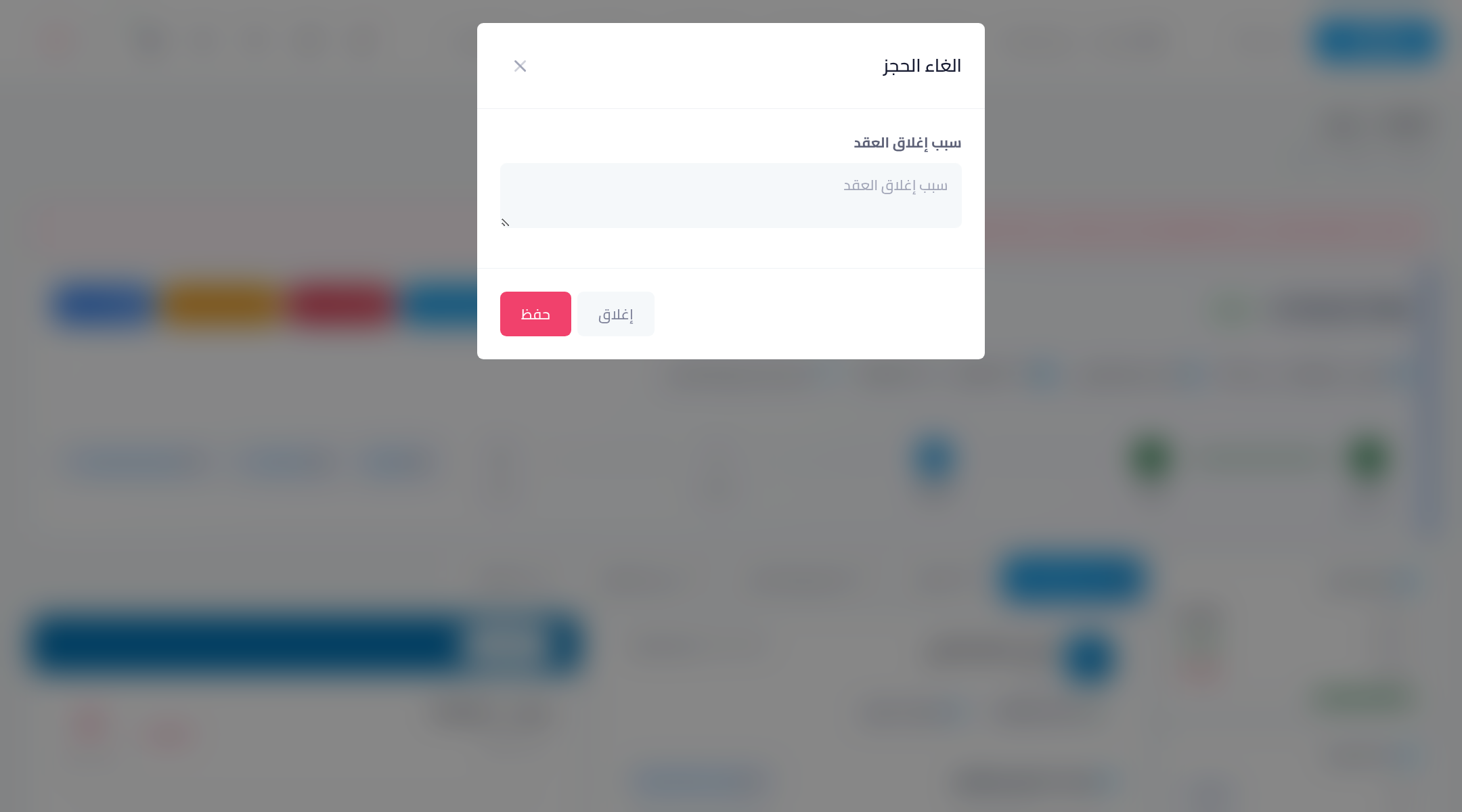
From the contract page press the red “Cancel booking” button, write the “contract closing reason” — customer backed out, car change, entry mistake… — then “Save”. The reason stays recorded on the contract for anyone who opens it later.
What happens after cancellation?
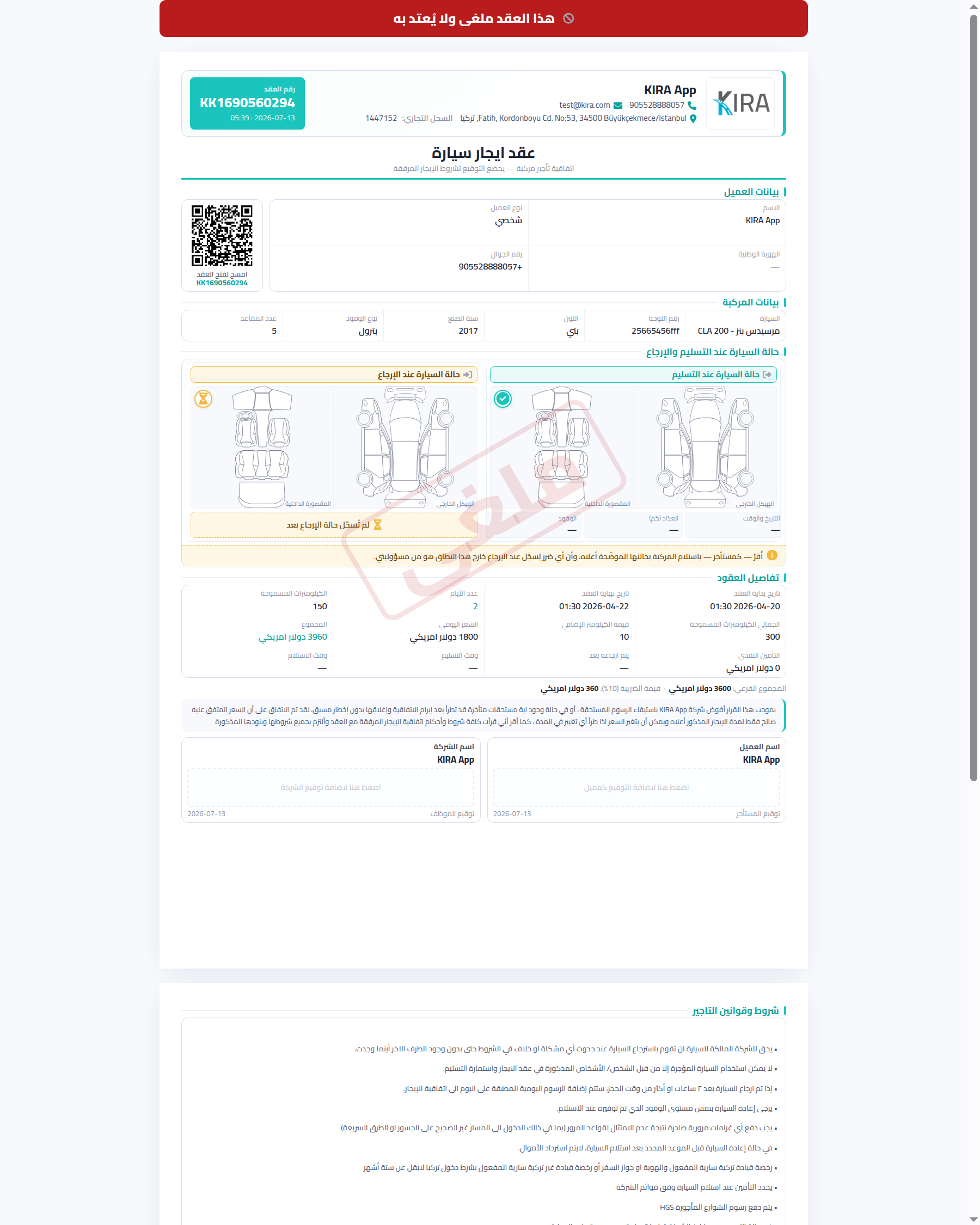
- The e-contract is voided: a red banner “this contract has been cancelled and is void” appears with a diagonal “Cancelled” stamp across the page, and signing is permanently closed — no one can sign or rely on a cancelled contract.
- The car becomes available for the same period instantly.
- The contract stays in your records with a “cancelled” status — never deleted — keeping the customer history and cancellation decisions reviewable.
Payments taken on a cancelled contract
If the customer paid in advance, the refund is your business decision per your policy. Record any amount you return from the customer's finance log so their account stays accurate, and check their card in the customers list to confirm a zero debt after settlement.
Common mistakes
- Deleting the contract instead of cancelling: a documented cancellation keeps the history and reason; deletion loses the record and distorts your reports.
- Cancelling without a written reason: the reason is your reference for any later question from the customer or your accountant.
- Forgetting to settle the advance: handle collected amounts right after cancelling so no stray balances accumulate.
🎉 You finished the contracts guide! You now run the full contract cycle: preparing the customer, creating and signing, handover, payments and extensions, through closing or cancellation. Start from the series index whenever you need a refresher.