Suppliers & Workshops Management
Track every repair workshop and parts supplier — work value, paid, remaining, and the cars currently in the workshop — built automatically from your maintenance operations.
If your company works with external repair workshops or spare-parts suppliers, the new «Suppliers & Workshops» feature gives you a clear ledger for each one: how many cars they have right now, how much your maintenance work with them has cost, how much you have paid, and how much you still owe — with no double data entry.
What is «Suppliers & Workshops»?
It is a single screen that tracks your financial and operational relationship with:
- Repair workshops you send your cars to.
- Spare-parts suppliers you buy from.
- Any other party you deal with for maintenance.
For every supplier it shows: total invoiced (the value of the work), paid, and remaining — plus the cars currently in their workshop.
Where do I find it?
From the top menu, open «Maintenance» ← «Suppliers & Workshops». It is marked with a «New» badge.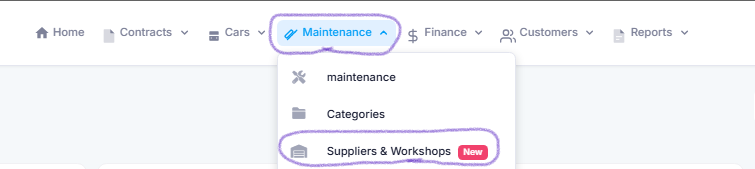
The core idea: maintenance is the source
You never type invoices manually. Each supplier’s account is built automatically from the maintenance operations linked to it. When you create or edit a maintenance request, pick the workshop or supplier from the «Workshop / Supplier» list and enter the operation cost as usual — the amount appears immediately in that supplier’s account.
- Total invoiced = the sum of maintenance-operation costs linked to the supplier (excluding cancelled ones).
- Paid = the sum of costs of operations whose payment status is «Paid». Simply change the maintenance operation’s payment status to «Paid» once you settle the workshop, and it is counted as paid.
- Remaining = total invoiced − paid.
The account is shown per currency and is never summed across different currencies.
How do I add a supplier or workshop?
Two ways:
- From the «Suppliers & Workshops» page, click the «Add supplier» button.

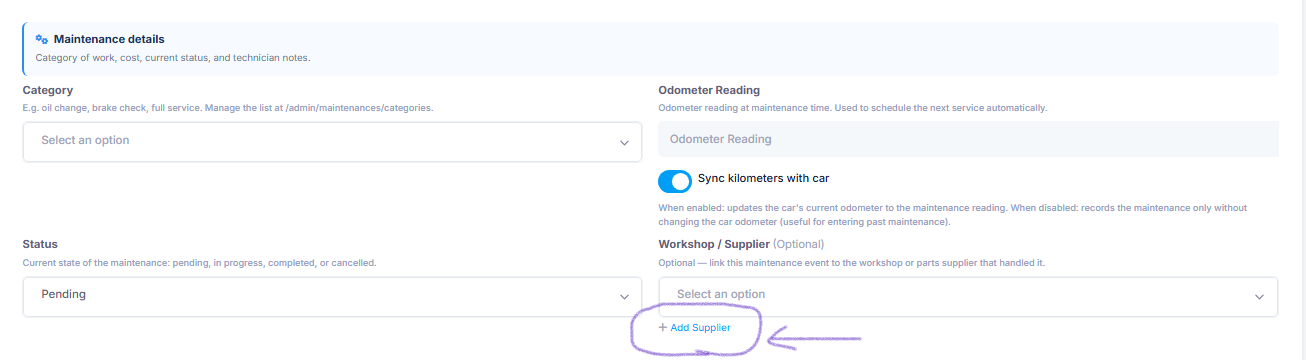
- Or directly from the maintenance-request form using the «+ Add supplier» button next to the «Workshop / Supplier» list — without leaving the page.
The form is simple: name, type (Repair workshop / Spare-parts supplier / Other), WhatsApp number, address, and notes.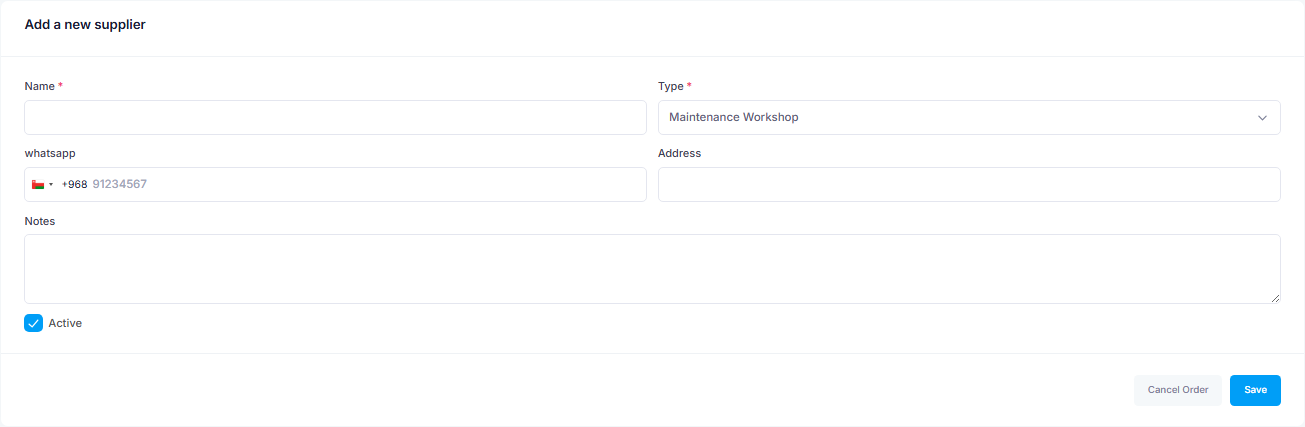
The supplier page
Opening any supplier shows you:
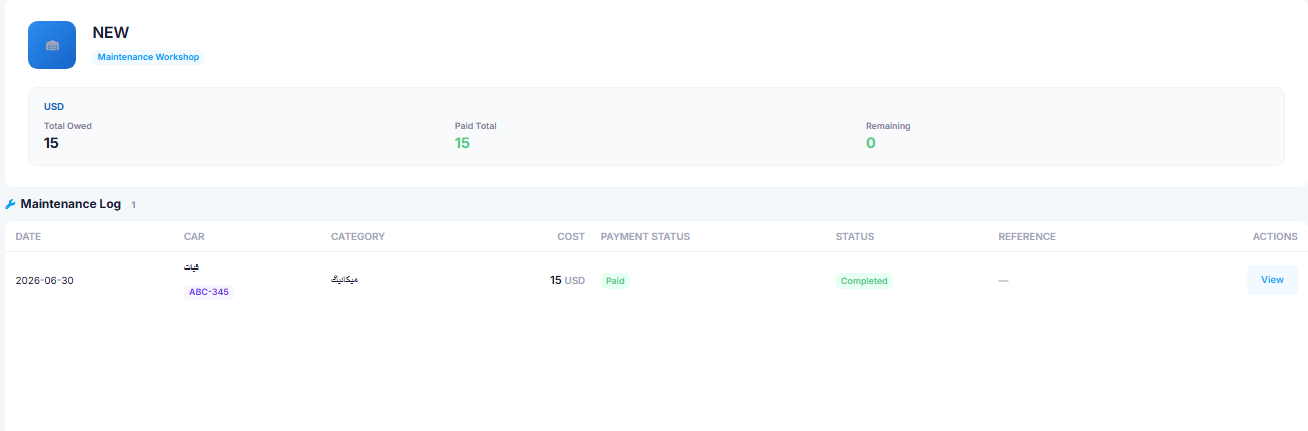
- An account card (total invoiced / paid / remaining) per currency.
- The cars currently in the workshop.
- A maintenance-operations log — each row shows its payment status, which is the reference for what has been settled and what is still due.
A quick look at the main page
The top of the «Suppliers & Workshops» page has an indicators strip showing: the number of active suppliers, the number of cars currently in workshops, and the total amount due — with tabs by type, a search box, and a table summarising each supplier’s account.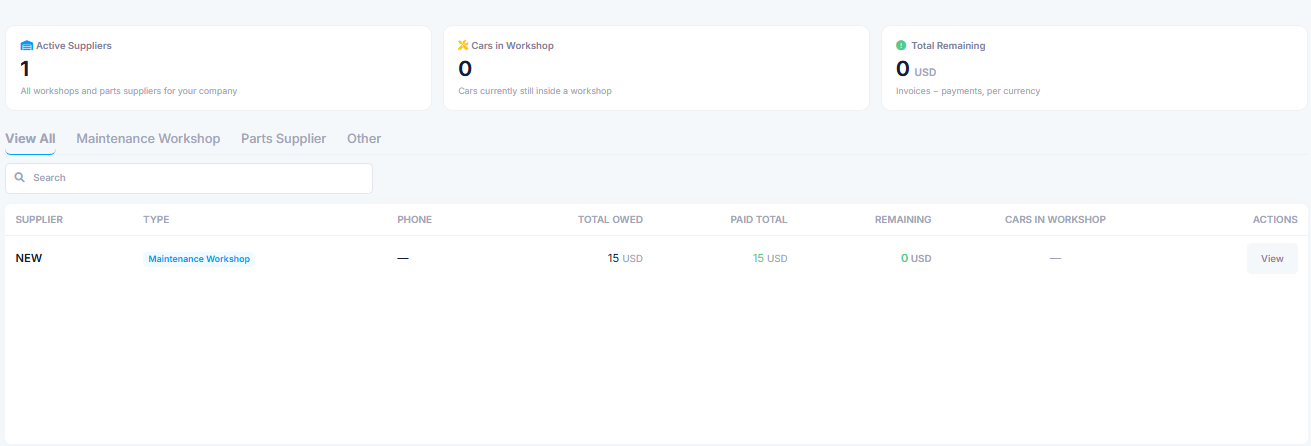
Permissions
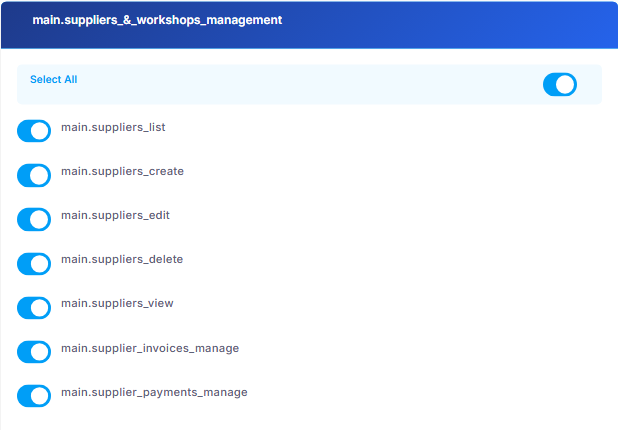
Access to the feature is controlled by the «Suppliers & Workshops Management» permission group, so you can grant your staff view, create, or edit rights as needed.